How OpifexHQ works
From SolidWorks to the invoice, in one flow. The design office works in the app next to SolidWorks; production, purchasing and the owner see the same data from any browser — live.
01From SolidWorks to a production list
You never retype anything. OpifexHQ reads the assembly the way you designed it — every part with quantity, material, thickness, configuration and image — and turns it into a production list in minutes instead of hours.
- Open every part
- Type name, quantity and material into Excel
- Check you didn’t miss one
- Import
- Pick the assembly
- OK
Weldments too
A beam frame imports directly: its cut list becomes the part list, and identical beams merge into one row × quantity.
When the design changes
You simply re-read the file. Existing parts keep their place in production, their cost and their exports; new ones are added; changed ones get an orange “check before you continue” flag. Nothing starts over, and nothing changes silently.
One part in many places
A bracket used in three places on the machine shows once, “×3 places”, with the total quantity — and one click takes you to each place.
A new version of the machine
A copy of the job with new file names that shares stock and documents with the original. Before you make it you see what carries over from the old one — flow, codes, instructions.
02Exports for the shop floor
With one click you turn every part of an assembly into the files production needs — ready for the laser and the machines, correctly named and sorted into folders.
- Open the part in SolidWorks
- Save the flat pattern as DXF
- Type the material, thickness and quantity into the name
- Again. And again. Forty times.
- Right-click the assembly → Export
- Tick the formats you need
- Press Export
The formats
DXF (sheet-metal flat patterns), PDF (drawings), STEP (3D) and Weldment (cut list) — pick one or more and OpifexHQ runs them all, retrying any that failed.
Smart file names
The DXF file name carries the material, quantity and thickness — the laser operator sees “what, how many, what thickness” without opening the file.
Satin finish
For parts with a satin face, the flat pattern is oriented so the finished side faces up — so the press brake doesn’t press on it while bending.
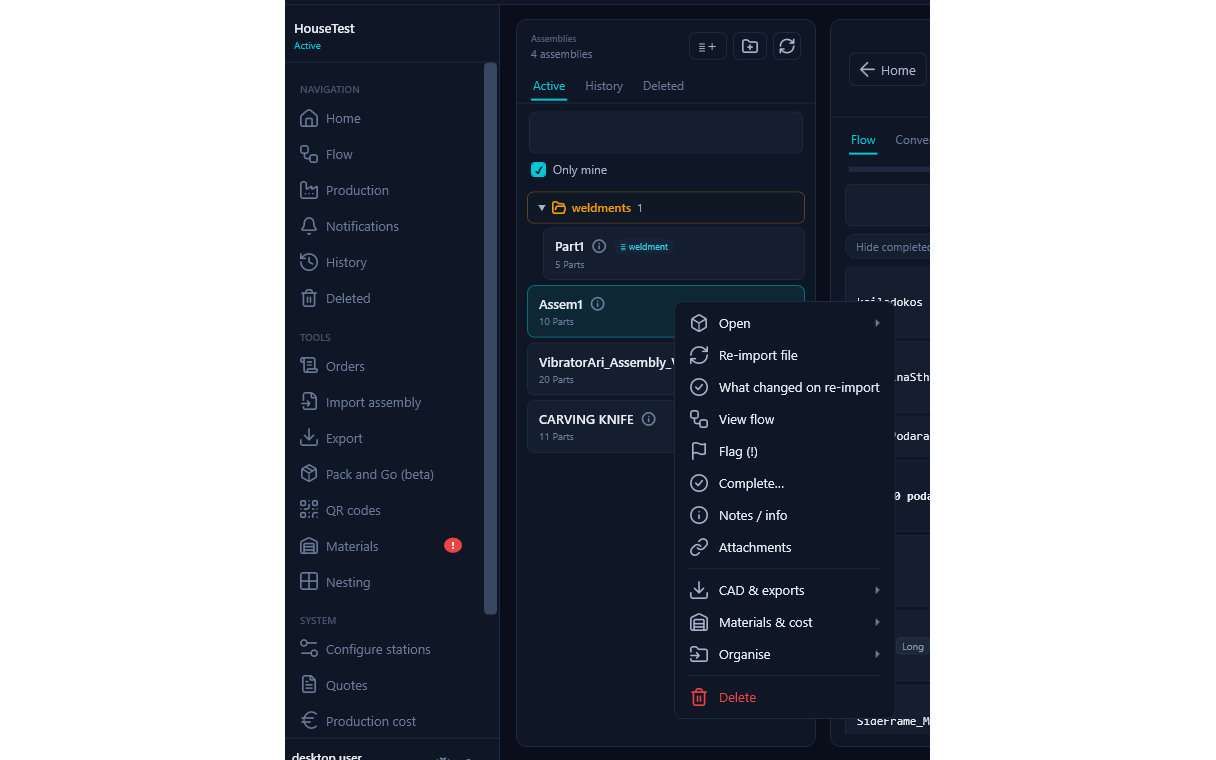
Right-click the assembly → CAD & exports
03Cost and quote
You know what a build costs before you name a price — and you send the quote from the same place. It gives a useful estimate from day one, and sharpens as it measures real times.
- Collect hours per station
- Look up material prices and work out the sheets
- Add the margin in Excel
- Write the quote in Word
- New quote
- Pick the order — its assemblies come in on their own
- Download PDF
Where the cost comes from
- Labour — €/hour per station.
- Materials — at the latest price from Stock.
- Sheet metal by the sheet — the slice of the sheet the part actually uses, not by weight.
- Purchased parts — at the buy price.
- Design time — measured per assembly, or the hours the designer declares, times their €/hour.
For N machines
Production is multiplied by N; design is counted once, because the engineering is done once.
Production × N + engineering onceThe quote
Margin per category (e.g. labour +40 %, materials +15 % — you set your own), discount, VAT, validity, terms. Sending it “freezes” it: you always know what you promised to whom, and what cost stood behind it. The PDF comes out in the customer’s language. Once accepted, the price moves into the order.
A quote before there is an order
The customer wants a price for something not ordered yet? Quote straight from the assembly — the order opens on its own as “Quote”, and if you lose it, it is cancelled without leaving clutter behind.
Estimate vs actual
At the end you see whether the job came out as you costed it — with times measured inside your working hours, not the weekend a part sat parked.
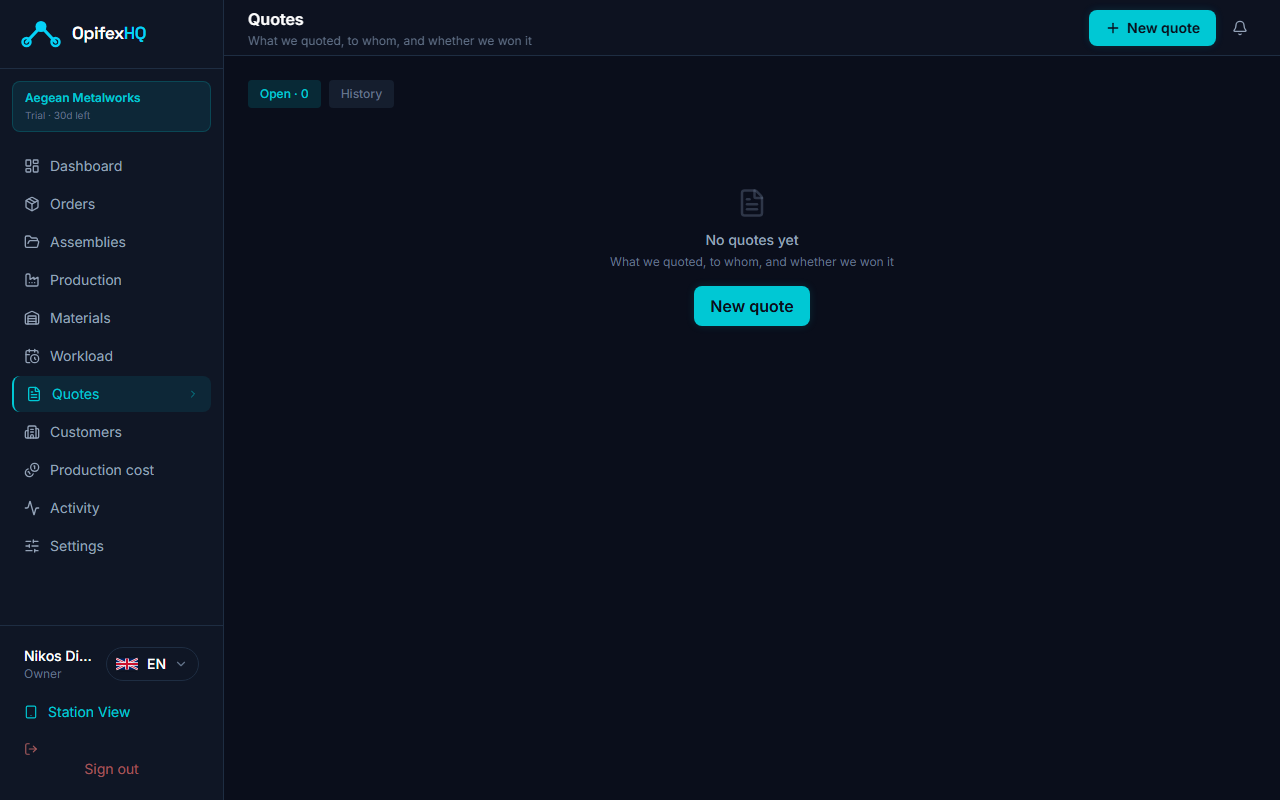
Quotes → New quote
04Declaring the flow
Every part says which stations it goes through — laser, press brake, paint. You declare it once, and from then on everyone sees the same picture; you don’t tell the floor again.
- Write each part’s route on paper or in Excel
- Tell the foreman
- Something changes? Start over
- Click “No flow” on the part’s row
- Pick the stations in order
- Save workflow
One flow for many at once
Ctrl- or Shift-click the parts → right-click → “Common flow”. For the whole job: “Bulk flow” — one flow on everything.
Move with one click
Click a station on the part’s row and the part goes there. Everyone sees it at once.
A bought part with a flow
A bought part that still needs work (e.g. welding) keeps its flow too: it starts at the first station as soon as you receive it.
From the web
The production lead sets or corrects flows from the browser as well, without the app.
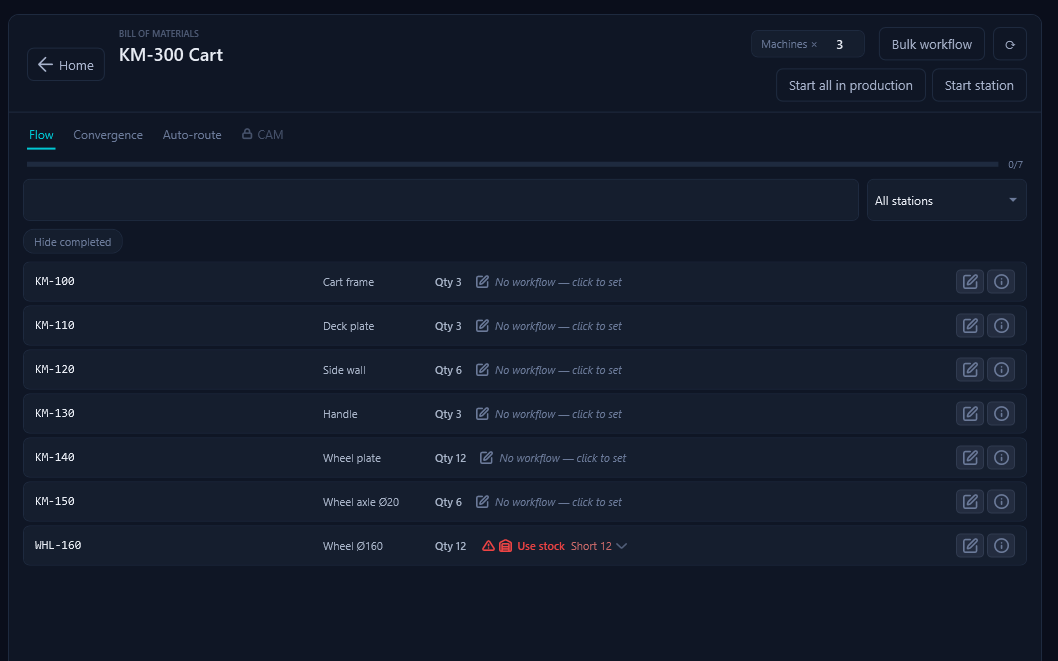
KM-110 has no flow yet → click to set it
05The flow on its own: auto-routing
Say once what each station does — the press brake takes anything with bends, the laser the sheet metal. From then on, every new part arrives with a proposed flow taken from its own design. You just accept it — or not.
- Open every part
- Think about where it goes
- Declare its flow
- Once: what each station does
- Each time: “All proposals”
- Whatever you set yourself is left alone
Why this proposal
Every part says “Sheet metal → Laser · Bends → Press brake”: you know why it was proposed before you accept it.
Your own flow wins
If you set a flow by hand — because the holes are cut on the laser, not drilled — it is left alone. You see it, quietly, under “With flow”.
Started stays started
A part already in production doesn’t change route halfway; it shows as locked.
From the CAD itself
Sheet metal, bends, weldment, turning, threads, holes — whatever OpifexHQ finds in the design at import.
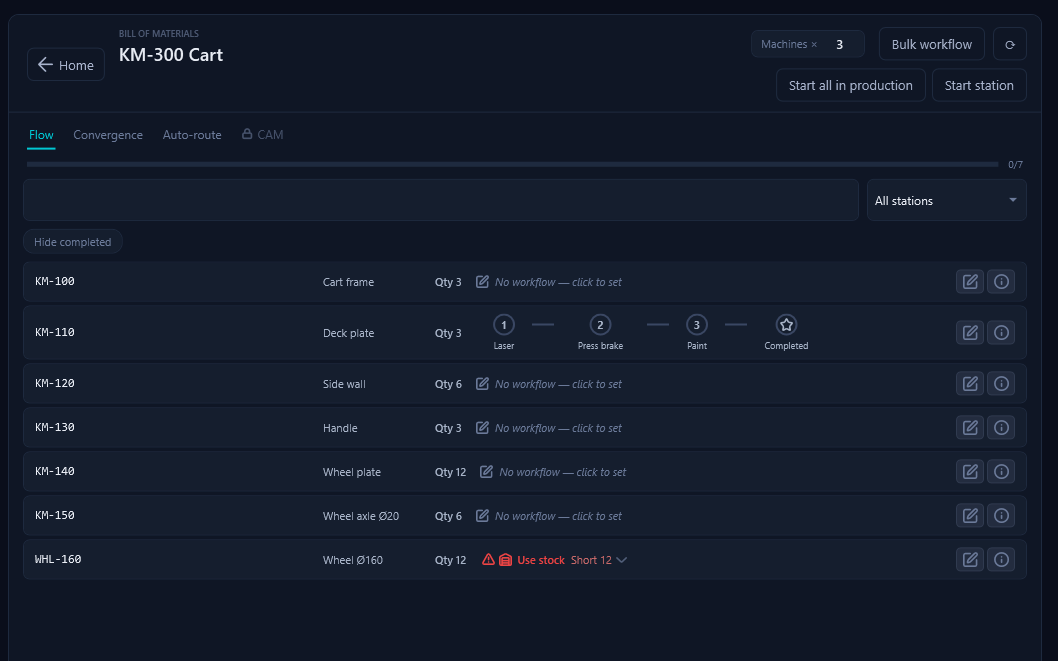
In the job → the “Auto-route” tab
06The flow on the shop floor
With the flow declared, the floor stops asking “where is X?”. Everyone sees the same picture, live: what’s on the laser, what’s at the press brake, what’s waiting, what’s stuck.
- You ask “where is X?”
- You walk the floor to find out
- You write on the board what went where
- The operator taps “Advance”
- The part appears at the next station
How parts move
Drag, the “Advance” button or a QR scan — all pieces together or just some. Scrap for damaged pieces, Rework for those going back.
Bottlenecks
A part that sits at a station longer than the hour limit you set turns red — stuck work shows without hunting for it.
Convergence
Parts that must all reach a station together (e.g. the plates of a frame at welding) wait for each other and continue as one. Click the convergence badge to see the whole set — what has arrived, what is missing.
Plate A + Plate B + Angle C → “Welding” → oneWhere is a part?
Type its code in the search: which job it is in, at which station, and “In the flow ↗” takes you to its row.
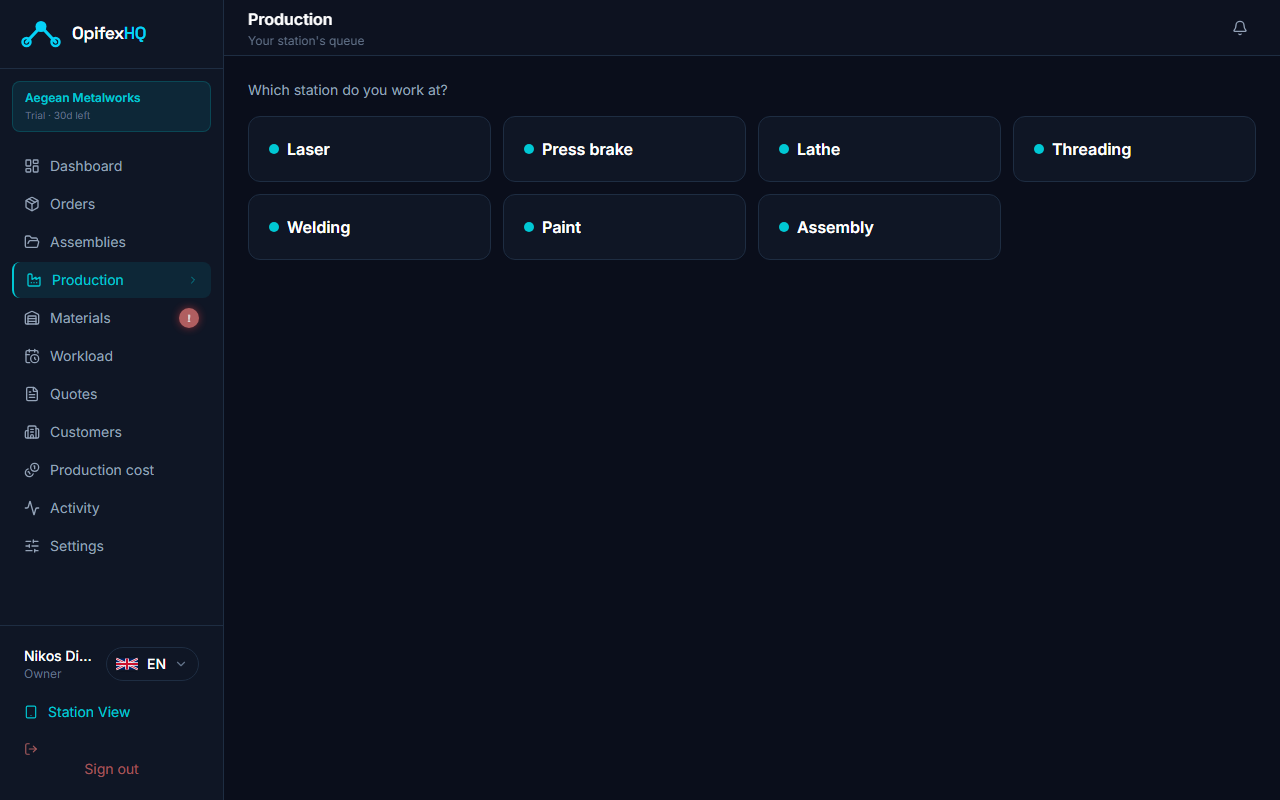
The operator picks their station
07At the station: the tablet
A cheap tablet next to the machine. The operator sees what to do and what the instructions say, and reports a problem in seconds — without going to find anyone.
- The operator stops
- Goes looking for the designer or the foreman
- Explains out loud — nobody writes it down
- ⚠ “Problem” on the part
- What is wrong (and a few words, if you like)
- Who should know → Send
QR scan
Scan the part and it moves to the next station in its own flow. Zero training.
Work instructions
Whatever the designer wrote for the part shows up where it is being made — and isn’t lost when the design is re-read.
“Problem”
The categories are yours, per station (e.g. “wrong drawing”, “material missing”, “machine down”). Whoever reports it picks who should know — nobody is added automatically. They all hear when it is seen, resolved or reopened. A report never blocks production.
The part’s timeline
One list: where it went, when, who moved it, what was noted, what problem was reported and how it was resolved.
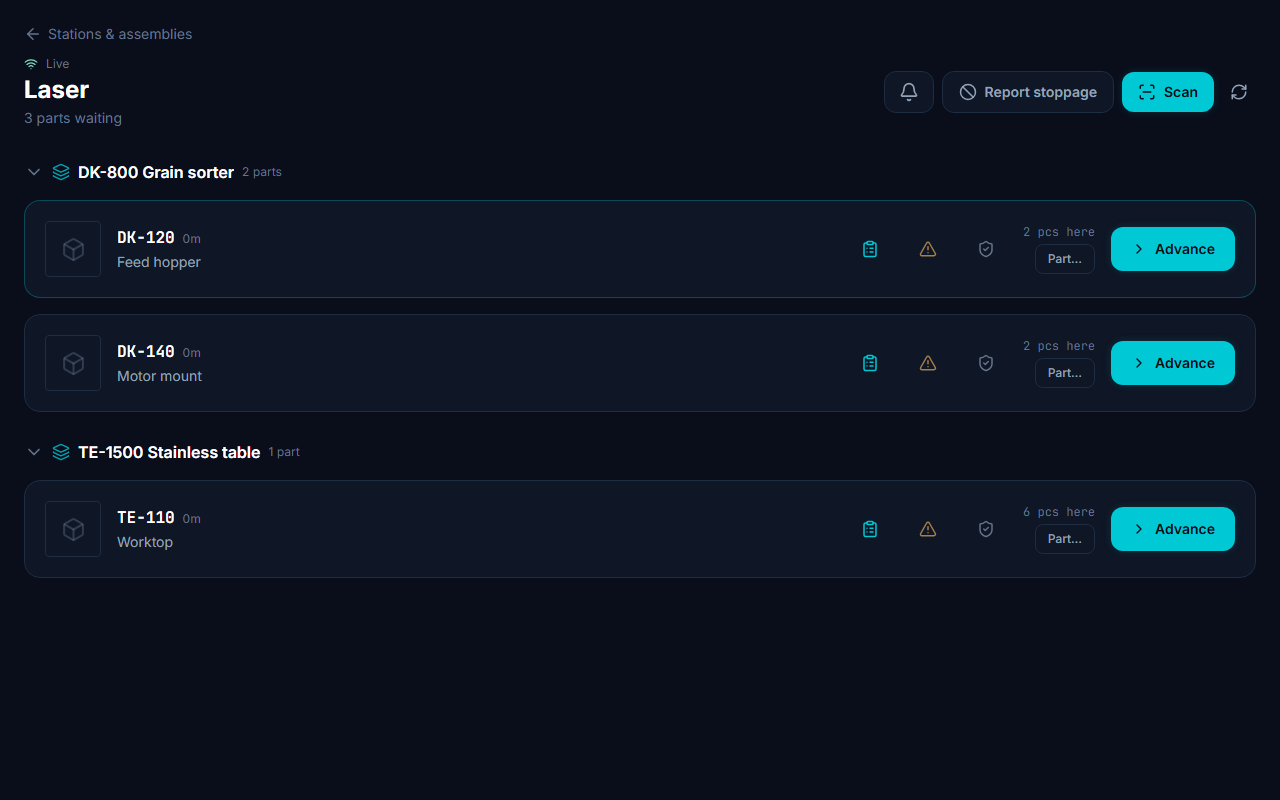
The laser’s queue on the tablet → ⚠ on the part
08Materials, stock and purchasing
You never run out of material mid-job and you never order blind. Each assembly says what it needs, the warehouse knows what you have, and one number answers “do I have enough?”.
- Count what is on the shelf
- Subtract in your head what each job needs
- Write the order in an email
- Remember to check whether it came
- Click the red “Short”
- Supplier, price, when it arrives → Order
- PDF to the supplier · “Received all” when it comes
The balance
One clean number per code. When it doesn’t cover demand, the item is flagged “Shortage”.
Balance = On hand − Needed + On orderRaw material from bar
A shaft from a Ø40 bar, 300 long: you declare what it’s cut from and it is reserved in the warehouse. The pieces of every job share the same bars — you know how many to buy, and any offcut worth keeping stays for next time.
Purchasing
Shortages are gathered per supplier into one order, with a PDF. OpifexHQ remembers what you paid and how late each supplier was — next time it suggests when the order will arrive.
Short → Order → On its way → ReceivedOrdered for a job, kept for that job
Whatever you order for a job is held for it when it arrives — the first job to ask for it doesn’t take it.
Suppliers
Tax ID, address, contact — printed on the purchase-order PDF. For each one you see what you bought and how many days they usually take.
The warehouse
Shelf location, usual supplier and their code, pack size. Stocktake: count the shelves and correct the books in one move.
How many sheets to buy
From the DXFs you already exported, instantly: how many sheets, the layout per sheet, what offcut is left — and offcuts go into their own store for the next job.
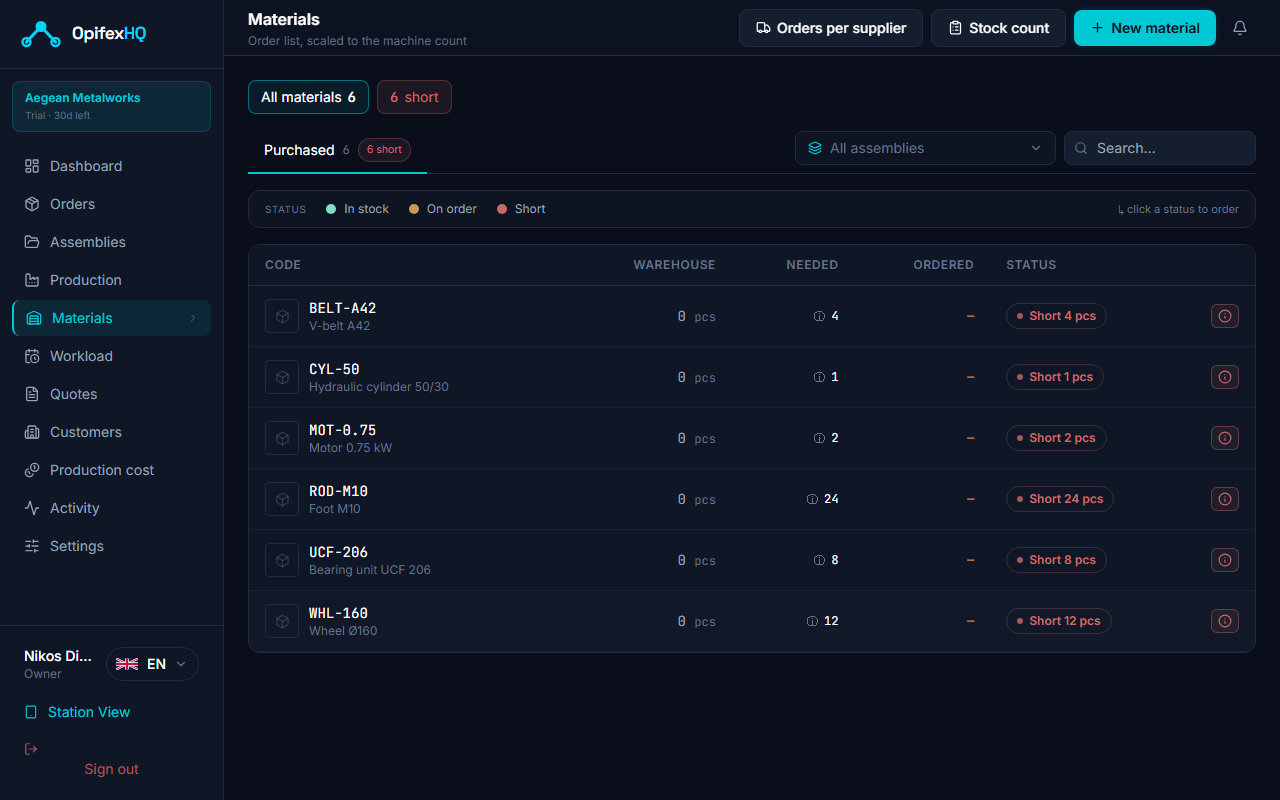
Materials: the cart’s wheels are short → click the status
09When will it ship
The question every customer asks. OpifexHQ answers it from the pace your shop actually works at — no Gantt chart, no schedule built by hand.
Expected delivery per order
On track, at risk or late — and which station is the bottleneck holding it back.
Waiting on material?
If a purchased part arrives on the 12th, the date won’t come out earlier — and it tells you why.
An honest number
Where there are no measurements yet, it doesn’t invent a date; it tells you it doesn’t know.
The whole shop at a glance
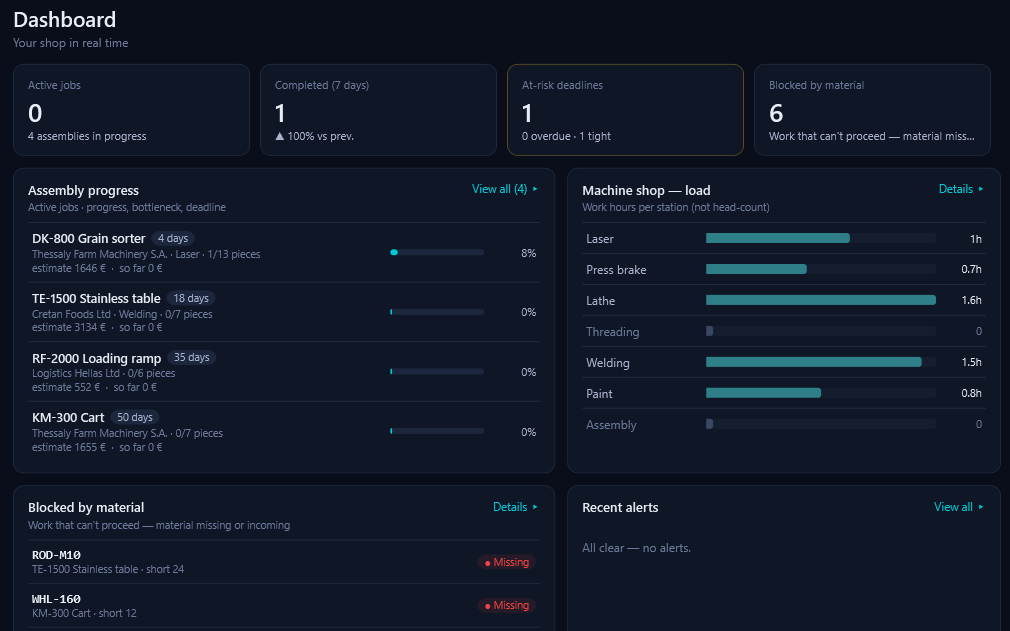
The home board with a map of your floor, load per station, weekly throughput and whatever is blocked by material.
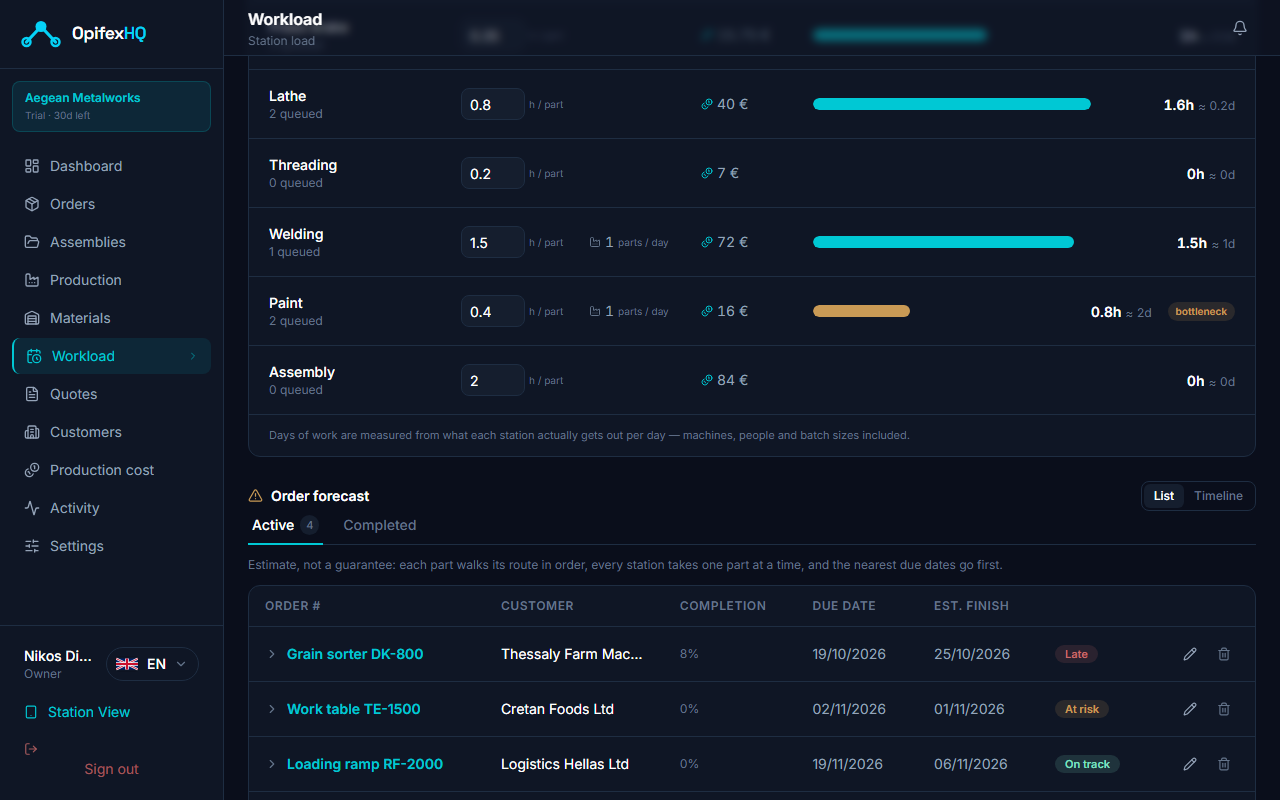
Load: paint is the bottleneck, and one order already won’t make it → Timeline
And also
Orders
Customer, deadline, designer, progress; “Delivered” and “Invoiced” close the loop.
Find a part
Its code in the search: which job, which station — and one click takes you there. It searches History too.
Reminders
“Remind me on Thursday to check the weld” — on the part, for you only.
Help inside the app
Over 50 “how do I…” with steps and a button that takes you straight there.
Attachments
Drag quotes, emails and photos onto the part; they stay after a re-import.
Pack and Go
“Like last year’s, but changed”: a clean copy with new names, without stale laser files.
Notifications
Everything that concerns you in one inbox; one click takes you straight there.
Roles & permissions
Who sees cost, who changes what; ready-made roles, tuned per person.
Safe delete
Whatever you delete goes to “Deleted” and comes back with one click.
Folders & groups
Jobs by customer; a subassembly moves and is costed as one part.
Your files stay yours
Drawings and DXFs stay on your own file server.
How it all ties together
You design once. The same information runs through cost, flow, materials and delivery — without being retyped anywhere.
SolidWorks → Production list → Cost & Quote → Flow → Shop floor → Materials → Delivery